



An AI receptionist & virtual Front Desk That Never Closes
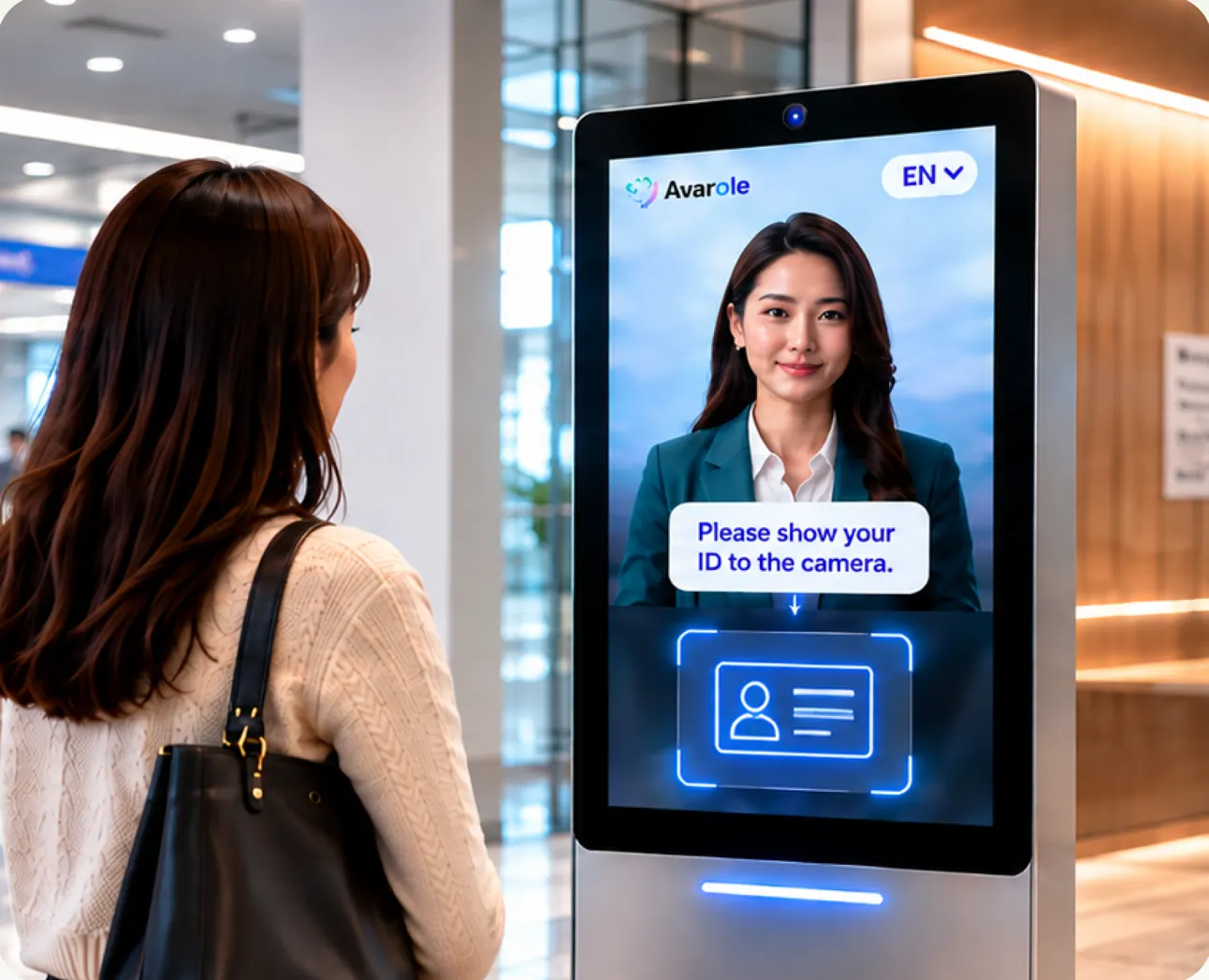
A photorealistic AI receptionist greets visitors on your website, in your lobby or at a kiosk, answers their questions in their own language and routes them to the right person.

- Greets and answers at any hour
- 23 languages, auto-detected
- Website, lobby screen or kiosk


Automation
What the AI front desk handles
Greeting and questions
Opening hours, directions, services and policies, answered from your own documents.
Routing
Guides visitors to the right department or person, with a ticket or handoff when needed.
After-hours cover
Always on, so enquiries never go unanswered overnight.
Languages
Detects the visitor’s language and switches if they change.
Kiosk and counter
Runs on kiosks, booths and counter displays through Avarole Interactive.
Website widget
Appears as a face-to-face widget on your website with one snippet.


Physical locations
Where AI receptionists fit
- Clinics and hospitals: reception and patient navigation.
- Hotels and offices: front desk and concierge questions.
- Banks and government halls: service guidance and document intake.
- Airports and venues: information and wayfinding.
- Enterprise
- Custom deployment
- Tailored integrations
FAQs
AI receptionist
questions

Still have a question?
Ask our AI avatar face to face, in your language. It answers right away.
What is an AI receptionist?

An AI receptionist is a virtual front desk: a talking avatar that greets visitors, answers their questions and routes them to the right person, instead of a person at a desk or a phone menu.
Can it run on a lobby screen or kiosk?
Yes. Avarole Interactive runs service avatars on kiosks, booths and counter displays.
Is there a ready-made receptionist avatar?
Yes. The Explore Avatars page lists receptionist and digital front desk avatars you can talk to live.
How much does it cost?
Start free; paid plans from $29 per month for the website agent. Kiosk deployments are quoted per project.
GET STARTED
Put an AI receptionist on your front desk.
Pick a receptionist avatar and start free.
- 1
Sign up
Create your account and get your agent ID.
- 2
Connect
Add the website widget, the mobile SDK or the API.
- 3
Go live
Customers talk to your agent face to face, in their language.